


von
Mergim Esati
Cloud Engineer
Cloud Engineer
Serverless Coffee Tracker: Infrastructure, Code and Integration with Microsoft Teams
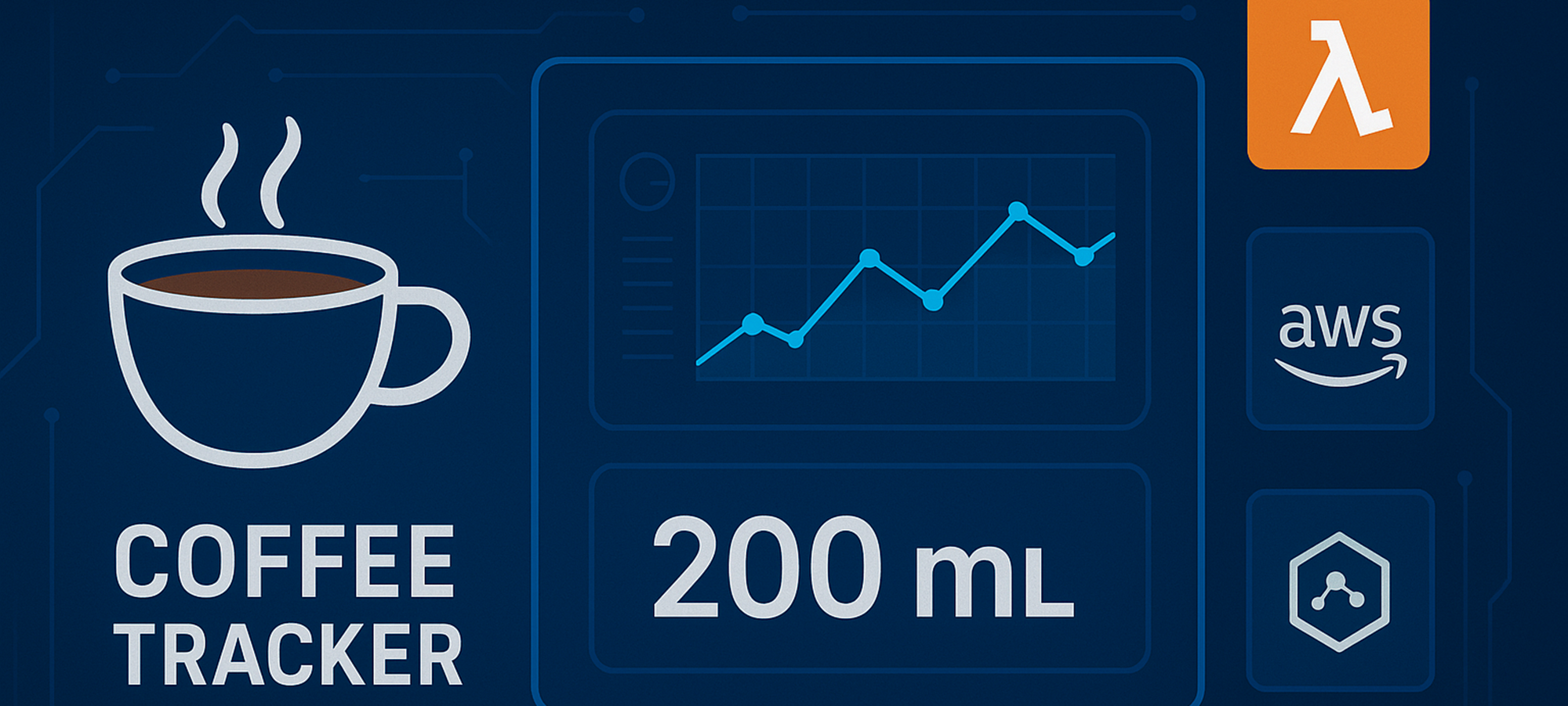
How much caffeine is really in your workday? Our serverless Coffee Tracker shows how modern cloud technologies with AWS, Terraform and Microsoft Teams playfully connect everyday life and IT – smart, scalable and completely serverless.
Serverless architectures make it possible to develop applications quickly and flexibly without having to worry about managing servers. Our coffee tracker project uses a variety of AWS services such as API Gateway, Lambda, DynamoDB and SNS to efficiently record and monitor coffee consumption in the team – all completely as Infrastructure-as-Code with Terraform.
Speichern von Dokumenten und Vektoren
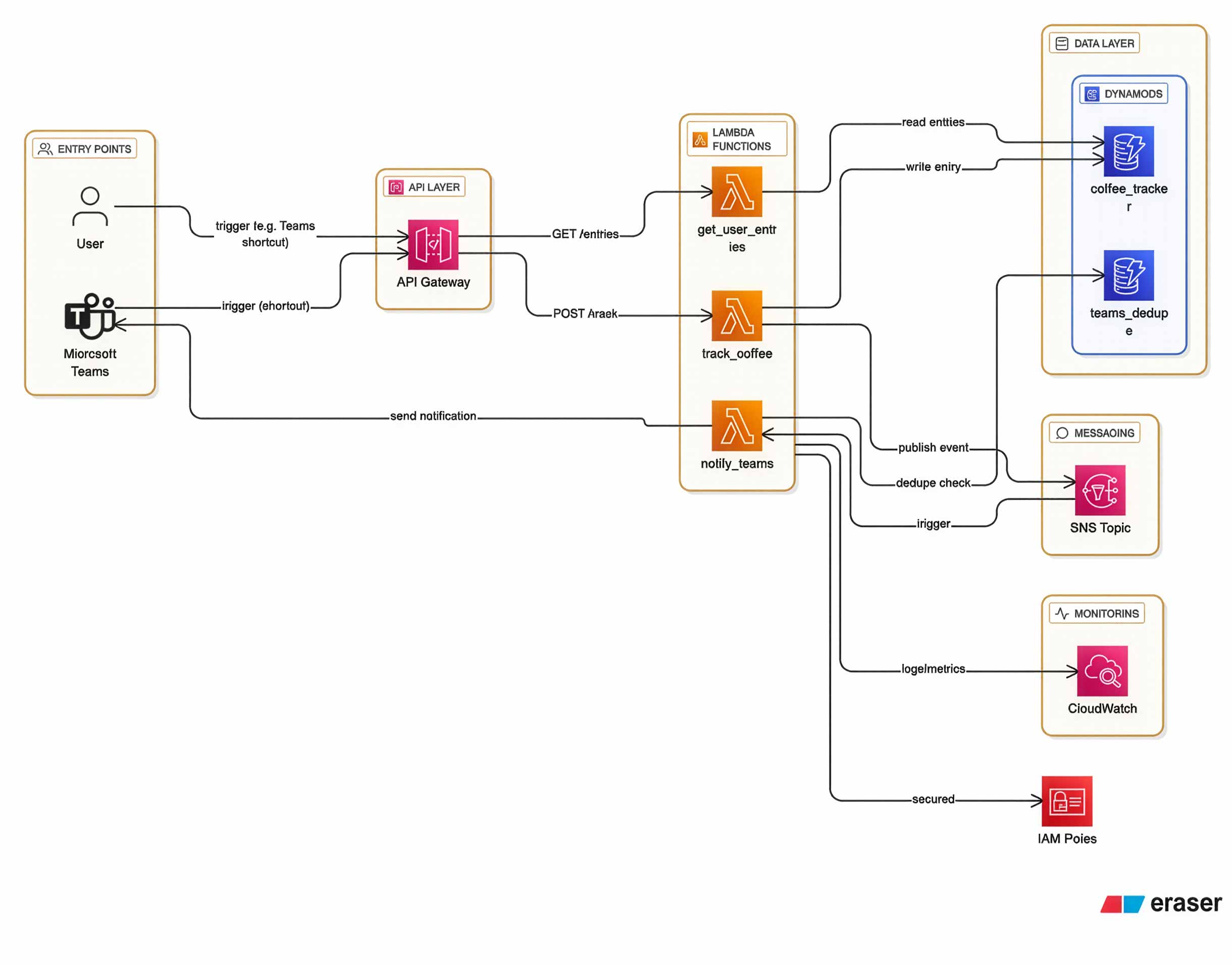
The application is designed to integrate seamlessly into everyday work: A shortcut in Microsoft Teams calls a REST endpoint that transmits the coffee data (e.g. espresso, quantity). A Lambda function processes the request, checks the inputs, saves the entry in DynamoDB and triggers a notification via SNS, which is then used by another Lambda function to post an Adaptive Card directly in Microsoft Teams. This way, the team is always informed – and nobody exceeds the caffeine limit unnoticed.
Technical Structure
- API Gateway: Provides REST endpoints that can be accessed by Teams or other clients.
- Lambda (Python 3.13): Four functions handle tracking, reading, logging and notifying.
- track_coffee.py: Validates and saves entries, triggers SNS.
- get_user_entries.py: Lists the latest entries of a user.
- notify_teams.py: Sends notifications as Adaptive Card to Teams.
- logging_utils.py: Logs Lambda events directly in CloudWatch log groups.
- DynamoDB: Two tables – one for coffee entries, one for deduplication of Teams messages.
- SNS: Mediates events between components.
- IAM & CloudWatch: Secure the environment and provide logging.
- Terraform: The entire environment is provisioned declaratively and automatically as Infrastructure as Code – changes and rollouts are therefore quick and controlled.
Example of a JSON Entry in DynamoDB
{
  "userId": "employee1",
  "timestamp": "2025-09-12T10:15:00Z",
  "type": "espresso",
  "amount": 2
}
Advantages and Challenges
The solution is fully serverless, requires no own infrastructure and scales automatically with usage. Thanks to DynamoDB, consumption trends can be easily evaluated, e.g. with QuickSight. The biggest challenge was to keep the solution as simple and user-friendly as possible – without unnecessary complexity, but with all the important functions. The integration into Microsoft Teams has proven to be particularly practical, as it can be used directly in everyday work.
Project Setup and Getting Started
If you want to try out the coffee tracker yourself, you can get started right away:
- Clone the repository or download the files
All Terraform files and the Python code for the Lambda functions are included..
Link: https://github.com/amanoxsolutions/serverless-coffeetracker - Packaging Lambda Code
The Lambda scripts are provided as a ZIP archive, which Terraform automatically deploys.. - Prepare Microsoft Teams and adjust Terraform variables.tf
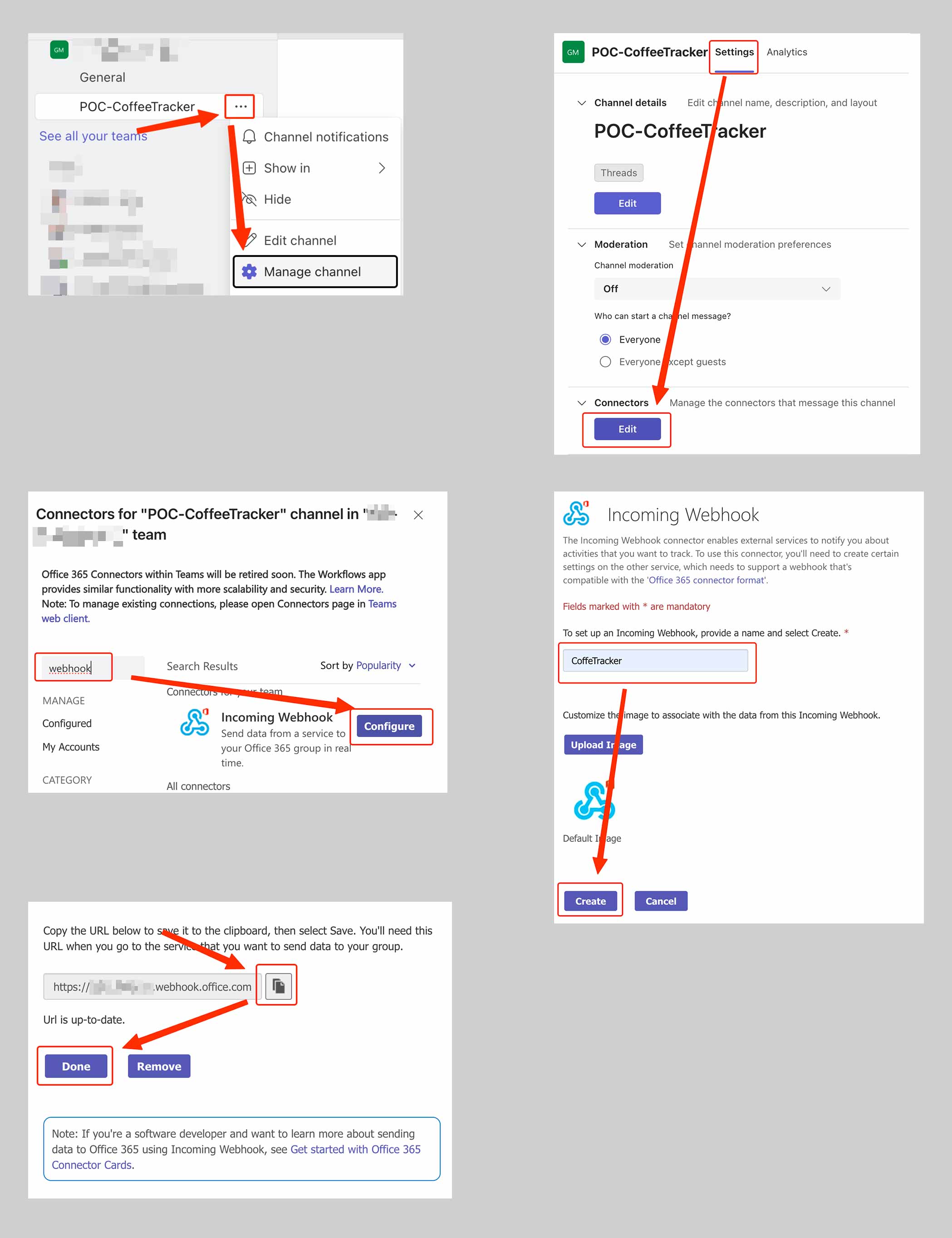
First, create an “Incoming Webhook” in the desired Microsoft Teams channel as shown below. Then enter the corresponding URL in your variables.tf file.
- Initialise and run Terraform
Terraform automatically creates all resources in your own AWS account.terraform init terraform apply
- Use the API endpoint
After successful deployment, you receive an API endpoint through which coffee entries can be recorded directly – e.g. from Microsoft Teams. For testing, you can also use curl to interact with the API endpoint.

- Receive notificationsn
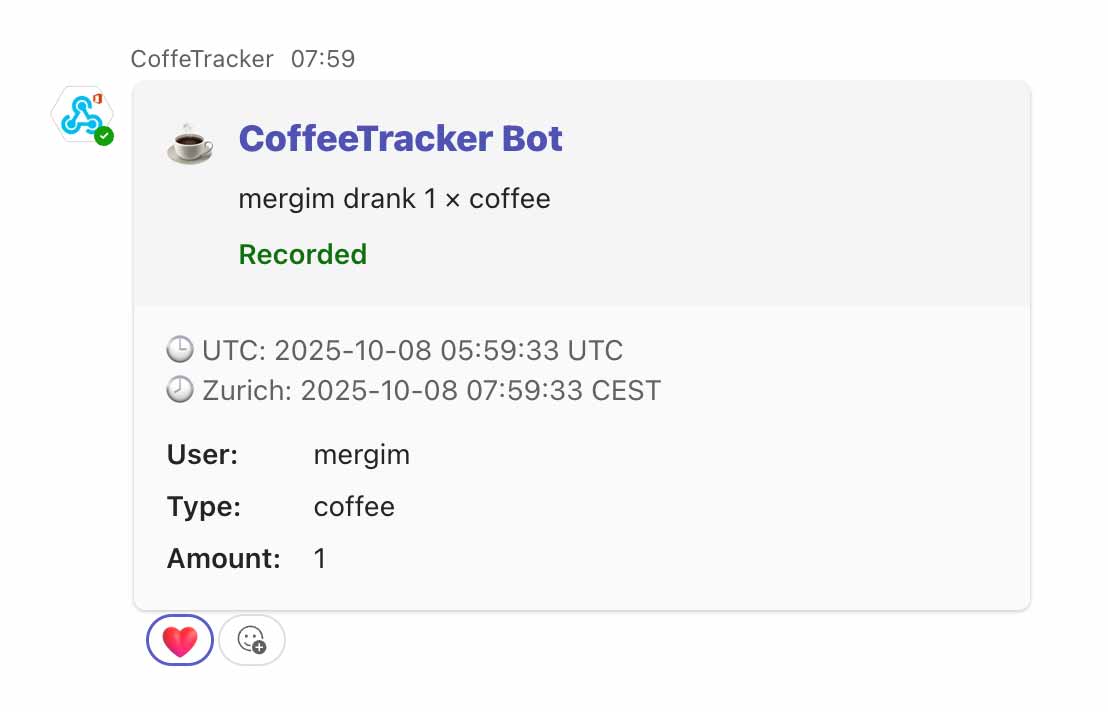
When coffee consumption is logged, a notification is automatically sent via the configured SNS topic and Microsoft Teams.
Note on Extensibility
The solution is flexible and can be extended at any time – for example, with further evaluations, authentication, rate limiting or additional integrations. The complete code is open and can be individually customised.
Conclusion
With this project, we show how easily and efficiently modern serverless architectures can be implemented with AWS and Terraform – and how everyday processes like coffee drinking can be playfully digitalised.
Disclaimer
To keep the project manageable, important security aspects such as authentication, authorisation or API rate limiting have deliberately not been implemented in this solution. If you want to use this solution in a productive environment, please ensure that you protect your API Gateways and all other components according to current security best practices. We are happy to support you – contact us for a non-binding demo or individual consultation.